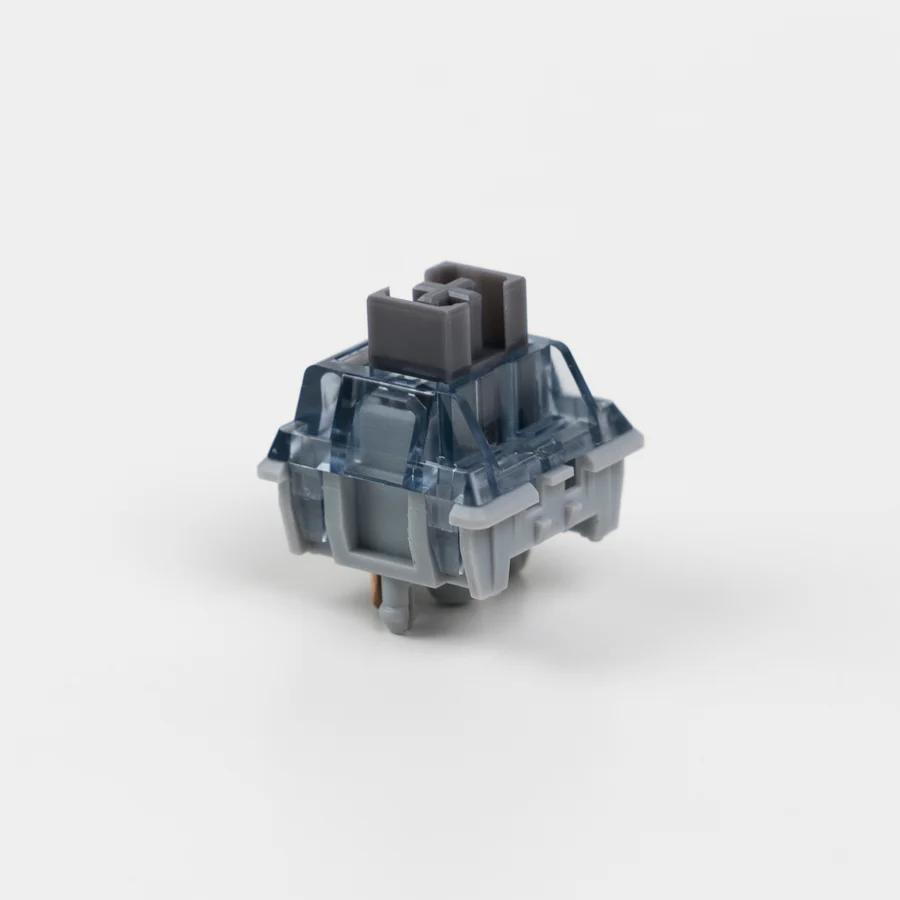
CannonKeys is proud to offer Haimu Clipper Swordfish Tactile Switch! The Haimu Clipper Swordfish Switch is a new tactile addition from Haimu lineup! These switches feature a new durable clip-in mechanism. Switch Type Tactile Manufacturer Haimu Top Housing Material Nylon Bottom Housing Material Nylon Stem Material Nylon Spring Weight 63.5g single stage, 4mm travel Mounting Pins Clip-in 5-pin Factory Lube Yes
研究笔记
1. What this is
CK X HAIMU CLIPPER SWORDFISH TACTILE ("CK x Haimu Clipper Swordfish Tactile Switch") is catalogued as a push-button / switch device.
2. What we know
- Manufacturer: not recorded (placeholder: "Stocked")
- Category: push-button / switch device
- Part number / name: CK X HAIMU CLIPPER SWORDFISH TACTILE — CK x Haimu Clipper Swordfish Tactile Switch
- (no real manufacturer recorded — 'Stocked' is a source-catalog placeholder; identify the part from its name/number)
3. How to identify / order the exact part
The full specifications for this part are not machine-decodable from the data we hold. To confirm the exact configuration (contacts, rating, colour, mounting, protocol), search the part number/name on the manufacturer site or a distributor (DigiKey / Mouser / RS).
4. Data-quality note
This page is generated from the catalogued manufacturer, category, and product name. Per our keep-and-document policy we publish a page for every part we hold and state plainly what is known versus what needs verification, rather than deleting the row or inventing specs. Flagged decoded-partial.
5. Sources
- Distributor / marketplace listing — search "CK X HAIMU CLIPPER SWORDFISH TACTILE" / "CK x Haimu Clipper Swordfish Tactile Switch"
来源
- Stocked CK X HAIMU CLIPPER SWORDFISH TACTILE — distributor/catalog
规格参数
|
Device class
|
push-button
|
|
Enriched by
|
generic-fallback-2026-08-12
|
|
Pn status
|
decoded-partial
|
|
Product type
|
Accessories
|
|
Shopify id
|
7192635605103
|
|
Vendor
|
Stocked
|
安装快速参考
Panel cutout: 22mm. Insert from the front of the panel, secure with mounting nut from behind (tighten to 2-3 Nm).
Contact block: Snap or screw the contact block onto the rear of the button body. Ensure the contact block orientation matches the wiring diagram — NO terminals are usually marked.
Wiring: Use 0.5-2.5mm² stranded wire with ferrules. Tighten screw terminals to 0.8 Nm. Test the button function before energizing the circuit.
尺寸
故障排除
Button doesn't respond when pressed
Check the contact block first — it's the most common failure point. Test continuity across the NO or NC terminals with a multimeter. If no click is felt, the return spring in the head may be broken.
Works intermittently
Contact block contacts are pitted or burned. Replace the contact block — don't try to file the contacts. Check if the rated cycle count has been exceeded.
Button feels mushy or doesn't click
The spring return mechanism in the button head is worn. Replace the head. The contact block can usually be reused if it tests OK.
快速规格
- Device class
- push-button
- Enriched by
- generic-fallback-2026-08-12
- Pn status
- decoded-partial
- Product type
- Accessories
- Shopify id
- 7192635605103


