NAEVIES EC 45G TACTILE SWITCHES 35 PACK
ActifAEBoards Naevies EC 45g Tactile Switches 35 Pack
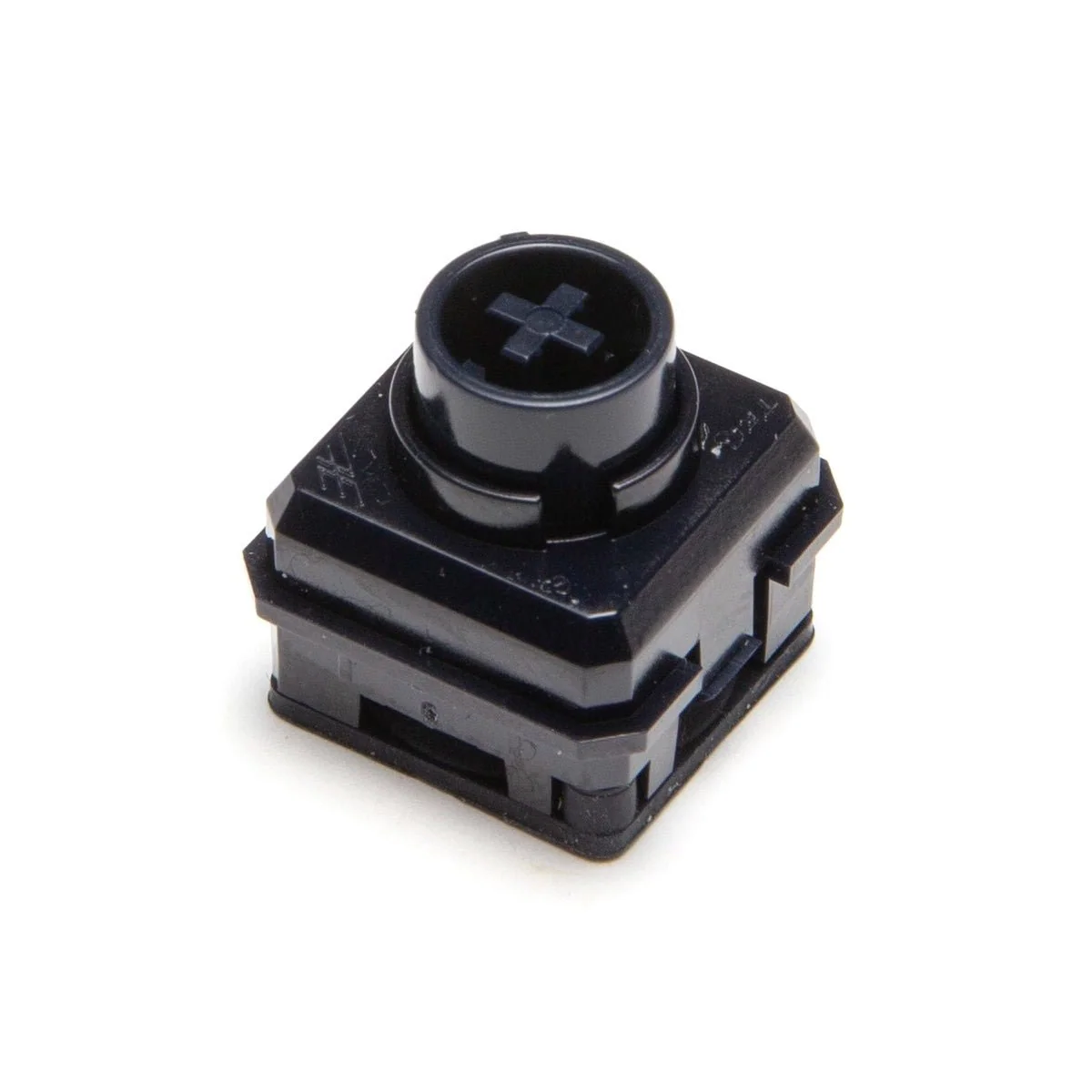
45g tactile dome 56.4g peak force 37.1g bottom out force 3.72mm total travel Nylon stem and housing Electrocapacitive switches with MX footprint Compatible with MX stabilizers and keycaps From the designers at Keyboard Treehouse "Gone are the days of hunting down rubber dome sheets, springs, sliders and stabilisers. No longer will you suffer topre pains where you've misaligned the rubber domes, or clipping your GMK keycaps to fit into stabilisers. We've taken what we love from Topre and refined it into a Cherry MX compatible switch, using the 14x14mm footprint, it allows compatibility with MX stabilisers and MX keycaps. The weight of Naevies EC switches is 45g.
Notes de Recherche
1. What this is
AEBoards Naevies EC 45g Tactile Switches 35 Pack is a mechanical keyboard switch from AEBoards. It is tactile, 45g.
2. Spec decode (from product name)
- Switch type: tactile
- Actuation force: 45g
3. Compatibility & use
Standard MX-style keyboard switch. Choose by feel (linear/tactile/clicky), actuation force, and sound (silent vs standard); 5-pin PCB-mount switches also fit plate-mount boards. Hot-swap or solder depending on your board.
4. Data-quality note
The switch type, force, and/or mount are decoded from the product name (the standard way keyboard switches are specified). Confirm exact spring curve, travel, and housing/stem material against the manufacturer's spec if precision matters. (Note: some of these rows are catalogued under a generic push-button/arcade-button category in the source data; the correct device class is keyboard switch, recorded in the specs above.)
5. Sources
- AEBoards product page / keyboard-switch community databases
- Distributor / vendor listing — search the exact switch name
Source
- AEBoards AEBoards Naevies EC 45g Tactile Switches 35 Pack — keyboard-switch spec
Spécifications
|
Actuation Force
The force needed to press the button. Lower = more sensitive. Sanwa ~65g (light), Seimitsu ~85g (medium), Happ ~130g (heavy).
|
45g
|
|
Device class
|
mechanical keyboard switch
|
|
Enriched by
|
keyboard-decoder-2026-08-12
|
|
Pn status
|
decoded
|
|
Product type
|
Keyboard Switches
|
|
Series description
|
AEBoards mechanical keyboard switch (tactile)
|
|
Shopify id
|
10080065978668
|
|
Switch type
|
tactile
|
|
Vendor
|
AEBoards
|
Référence rapide d'installation
Panel cutout: 22mm. Insert from the front of the panel, secure with mounting nut from behind (tighten to 2-3 Nm).
Contact block: Snap or screw the contact block onto the rear of the button body. Ensure the contact block orientation matches the wiring diagram — NO terminals are usually marked.
Wiring: Use 0.5-2.5mm² stranded wire with ferrules. Tighten screw terminals to 0.8 Nm. Test the button function before energizing the circuit.
Dimensions
Dépannage
Button doesn't respond when pressed
Check the contact block first — it's the most common failure point. Test continuity across the NO or NC terminals with a multimeter. If no click is felt, the return spring in the head may be broken.
Works intermittently
Contact block contacts are pitted or burned. Replace the contact block — don't try to file the contacts. Check if the rated cycle count has been exceeded.
Button feels mushy or doesn't click
The spring return mechanism in the button head is worn. Replace the head. The contact block can usually be reused if it tests OK.
Où acheter
Fourchette de prix
$25.0 — $25.0
from 1 seller in US dollars
Spécifications rapides
- Actuation Force
- 45g
- Device class
- mechanical keyboard switch
- Enriched by
- keyboard-decoder-2026-08-12
- Pn status
- decoded
- Product type
- Keyboard Switches
En savoir plus
Indices de protection IP expliqués
Ce que signifient IP65, IP66, IP67, IP69K pour votre application
Guide 22mm vs 30mm
Quelle taille de découpe de panneau vous faut-il ?
Blocs de contact : NO vs NC
Comment choisir et câbler les blocs de contact
Outil de recherche de boutons
Trouvez le bon bouton par type, taille et couleur


