iNAV-2000
ActiveiNavigator Accessible Pedestrian Pushbutton
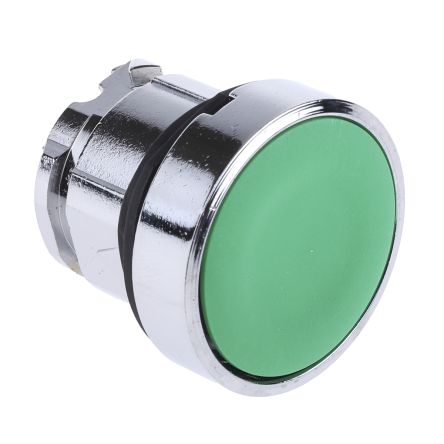
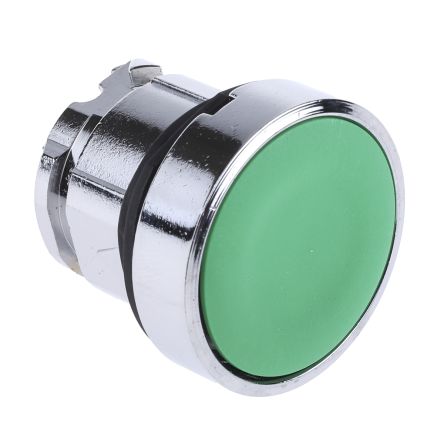
Series picture: the seller uses it for 3 other parts too, so it may not show this exact version.
The Polara iNavigator is an advanced accessible pedestrian signal pushbutton with enhanced features including Bluetooth connectivity, smartphone integration, and automatic volume adjustment. Next-generation APS technology for smart city intersections.
Common Applications
Installed at signalized intersections as an upgrade over the standard Navigator. The iNavigator can communicate with smartphones via Bluetooth to provide wayfinding assistance to visually impaired pedestrians before they reach the button. Auto-adjusting volume responds to ambient noise levels. Ideal for smart city and Vision Zero intersection projects.
Research Notes
1. Overview
The Polara iNavigator is an Accessible Pedestrian Signal (APS) push button station designed for signalized crosswalk intersections, providing non-visual pedestrian signal information via audible tones, speech messages, and vibrotactile indications to pedestrians with blindness or low vision. Manufactured by Polara Engineering (Corona, CA), the iNavigator succeeded the EZ Communicator Navigator (EOL March 2019) and represented a significant leap forward by introducing Bluetooth/WiFi wireless programming, power line communication (SDLC), and a durable Hall effect push button. The product family comes in two wiring configurations: the iN2 (2-wire) and iN3 (3-wire). As of 2023–2024, Polara officially designates the iNavigator a legacy product, with the iDS/iNS series as the current production replacement.
2. User Sentiment
No independent user reviews or forum discussions were found for the iNavigator specifically, which is typical of a B2G traffic infrastructure product sold exclusively to municipalities and transportation departments. From Polara's own support and firmware documentation, the iNavigator has seen active firmware maintenance from 2017 through at least May 2025 (v4.20), indicating a large deployed installed base still receiving support. Known field issues documented in firmware release notes include Bluetooth module advertising failures requiring device reboots (v4.19, 2023), incompatibility with Samsung Galaxy S9/S10 and iOS 13.4+ (fixed v4.08, 2020), and audio malfunction on startup (v3.207, 2019). The iNavigator's lack of Bluetooth 5 is cited as its main limitation vs. the iDS/iNS — it cannot use the PedApp pedestrian smartphone app or the Wireless Ped System (WPS). Cities like San Francisco (retrofitting 800+ intersections) are now deploying the iDS2 rather than iNavigator for new installations.
3. Real-World Applications
The iNavigator is deployed at signalized pedestrian intersections in municipalities across the US, installed on pole-mounted locations adjacent to crosswalks. It is used in actuated intersections (2-wire, iN2) as well as pre-timed intersections where no button wires exist (3-wire, iN3, drawing power from the pedestrian signal head). The system is suited for both new construction and retrofit of existing intersections. Polara case studies reference large-scale urban retrofits including San Francisco (800+ intersections), Calgary (city-wide APS retrofit replacing non-functioning competitor systems), and Seattle (complex diagonal intersection). The iNavigator is typically installed in pairs at each end of a crosswalk.
4. Technical Specifications
- Type: Accessible Pedestrian Signal (APS) Push Button Station — Legacy (EOL)
- Models: iN2 (2-wire), iN3 (3-wire)
- Push Button: Hall effect, adjustable actuation force 1–3 lbs, rated for extended service life
- Dimensions (PBS): 128 × 55 × 343 mm (W × D × H)
- Weight (PBS): 4 lbs
- Max Audio Output: 100 dBA @ 1 meter, dual-side speaker (front + back), auto-adjusts 5 dBA above ambient (built-in mic)
- Visual/Tactile Feedback: Sunlight-visible red LED (latches ON on press), vibrating tactile directional arrow
- Operating Temperature: −34°C to +74°C; Storage: −40°C to +85°C
- Enclosure: NEMA 4X (IP65) — outdoor, wet location rated
- Wireless: Bluetooth (BLE) + WiFi (IEEE 802.11b/g/n) — iOS and Android programming
- Wiring (iN2): 2-conductor button wire; powered via iCCU-S or iCCU-C in traffic cabinet; communicates via SDLC/power line protocol
- Wiring (iN3): 3-conductor cable to iPHCU3W ped head control unit; 120 VAC / 18 VA input; 24 VDC / 0.3 A to PBS
- Mounting: 42 inches from ground to button center; two vertical holes spaced 6.0 inches apart
- Compliance: ADA, PROWAG, MUTCD, Buy America, NEMA TS2 (independently tested)
- Firmware: Active updates through v4.20 (May 2025)
5. Ordering & Compatibility
The iNavigator is sold through authorized traffic signal distributors (e.g., Advanced Traffic Products) and directly by Polara; no list pricing is publicly disclosed — quote required. Key part numbers include: iN2 (2-wire PBS), iN3 (3-wire PBS), iCCU-S (shelf-mount control unit, any cabinet), iCCU-C (300-series cabinet card), iPHCU3W (ped head control unit for 3-wire), iN3-CABLE-12/25/50 (3-wire cables in 12/25/50 ft lengths), iN2-SDLC-CABLE (SDLC cable for iCCU-S). The iN2 and iN3 are compatible with newer iNS/iDS generation control units (iPHCU3S for iN3; iCCU-S2 and iCCU-C2 are not compatible with iN2). iNavigator PBS are backward-compatible with the iCCU-S and iPHCU3W. Custom audio pre-programming is available through distributors for a fee.
6. Known Issues
The iNavigator's onboard Bluetooth chip (pre-BT 5.0) prevents compatibility with Polara's PedApp smartphone accessibility app and the Wireless Ped System (WPS), both of which require Bluetooth 5.0 found only in the iNS/iDS generation. Field firmware issues have included Bluetooth reconnection failures (fixed v4.19), startup audio malfunction (fixed v3.207), and mobile OS compatibility breakage with Samsung and Apple iOS updates (fixed v4.08). The iN2 and iN3 models are listed as End-of-Life (EOL); while firmware support continues as of 2025, new deployments should use the iNS/iDS series. Transient protection is also noted as improved in iNS/iDS relative to the iNavigator.
14 sources
- iNavigator Legacy APS | Polara — polara.com
- iNavigator Legacy APS | Polara — polara.com
- iNavigator 3-Wire System Manual - Polara — readkong.com
- 2-Wire versus 3-Wire Accessible Pedestrian Signals | Polara — polara.com
- iNS/iDS FAQs - Polara Product Support Center — support.polara.com
- APS Compatibility Guide - Polara Product Support Center — support.polara.com
- EZ Communicator Navigator | Polara — polara.com
- Release Notes for iNavigator Firmware - Polara Product Support Center — support.polara.com
- City of San Francisco uses Polara APS to make crosswalks accessible for blind pedestrians — polara.com
- PEDAPP® | Pedestrian Mobility App | Polara — polara.com
- Polara iNS iNavigator Ped Station - Advanced Traffic Products — advancedtraffic.com
- Product Data Sheets - Polara Product Support Center — support.polara.com
- Accessible Pedestrian Signal (APS) Features | Polara — polara.com
- Accessible Pedestrian Signal Products & Specifications | Polara — polara.com
Specifications
|
ADA Compliant
Meets Americans with Disabilities Act requirements for accessible design.
|
yes (MUTCD 2009, ADA, PROWAG)
|
|
Certifications
Third-party safety certifications. UL = required for US NEC installations. CE = EU compliance. CSA = Canadian standards.
|
MUTCD, ADA, FHWA, FCC Part 15, IC
|
|
Locator Tone
Audible tone that helps visually impaired people find the button. Required at ADA-compliant crossings.
|
yes (auto-adjusting volume, Bluetooth beacon)
|
|
Material
The bezel/body material. Metal bezels are more durable in harsh environments. Plastic is lighter and cheaper.
|
Polycarbonate housing, stainless steel pushbutton
|
|
Mechanical Life
How many press cycles before mechanical failure. Higher is better — 10M cycles at 100 presses/day = 274 years.
|
1,000,000 cycles
|
|
Mounting Type
How the button attaches to the panel. Panel mount is standard — installs through a cutout from the front.
|
Pole mount (standard 2" pipe)
|
|
Operating Force
Maximum force needed to press. ADA requires ≤5 lbs (22.2N) for accessibility.
|
3.5 lbf max (15.6 N)
|
|
Max Operating Temp
Highest temperature the button is rated to operate in.
|
74°C
|
|
Min Operating Temp
Lowest temperature the button is rated to operate in.
|
-40°C
|
|
Power supply
|
120V AC or 12-24V DC
|
|
Protocol
The wireless communication standard. BLE = short range, phone direct. Zigbee = mesh network, needs hub. Z-Wave = mesh, needs hub. WiFi = direct, higher power.
|
Bluetooth Low Energy (BLE 4.2+)
|
|
Tactile Arrow
|
yes (raised, points in crossing direction)
|
|
Weatherproof rating
|
NEMA 4X / IP66
|
Specs with this icon are linked to the manufacturer's original source page
Compatible Alternatives
These products are functionally equivalent cross-references from other manufacturers.
Installation Quick Reference
Installation: Mount at 42" height per MUTCD guidelines. Must be accessible from the sidewalk. Connect to traffic signal controller per local DOT specifications. Locator tone must be audible at 6-12 feet.
Dimensions
Troubleshooting
Not responding to input
Check wiring continuity with a multimeter. Verify the contact block is properly seated. Inspect terminals for loose connections.
Where to Buy
Quick Specs
- ADA Compliant
- yes (MUTCD 2009, ADA, PROWAG)
- Certifications
- MUTCD, ADA, FHWA, FCC Part 15, IC
- Locator Tone
- yes (auto-adjusting volume, Bluetooth beacon)
- Material
- Polycarbonate housing, stainless steel pushbutton
- Mechanical Life
- 1,000,000 cycles
What People Are Saying
“Polara units meet MUTCD requirements. The locator tone and tactile features are essential for ADA compliance. Installation per local DOT specs.”
Learn More
Data Sources
Specifications and product data sourced from the following references.