Tactile Switches Tactile Switch Series TL3220 RGB Illumination
Thông số kỹ thuật
|
Device class
|
tactile switch
|
|
Enriched by
|
eswitch-decoder-2026-08-12
|
|
Lead time
|
97 Days
|
|
Manufacturer series
|
TL
|
|
Mouser part number
|
612-TL3220AF160RGBR
|
|
Pn status
|
decoded
|
|
Rohs status
|
|
|
Series description
|
E-Switch TL-series tactile switch (PCB tact switch; TL1105 = through-hole, TL61 = process-sealed — a broad range of sizes, heights, and forces)
|
Hướng Dẫn Cài Đặt Nhanh
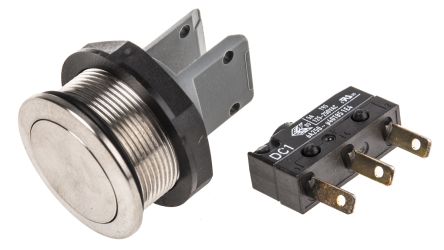
Panel cutout: 22mm. Insert from the front of the panel, secure with mounting nut from behind (tighten to 2-3 Nm).
Contact block: Snap or screw the contact block onto the rear of the button body. Ensure the contact block orientation matches the wiring diagram — NO terminals are usually marked.
Wiring: Use 0.5-2.5mm² stranded wire with ferrules. Tighten screw terminals to 0.8 Nm. Test the button function before energizing the circuit.
Kích thước
Khắc phục sự cố
Button doesn't respond when pressed
Check the contact block first — it's the most common failure point. Test continuity across the NO or NC terminals with a multimeter. If no click is felt, the return spring in the head may be broken.
Works intermittently
Contact block contacts are pitted or burned. Replace the contact block — don't try to file the contacts. Check if the rated cycle count has been exceeded.
Button feels mushy or doesn't click
The spring return mechanism in the button head is worn. Replace the head. The contact block can usually be reused if it tests OK.
Thông số kỹ thuật nhanh
- Device class
- tactile switch
- Enriched by
- eswitch-decoder-2026-08-12
- Lead time
- 97 Days
- Manufacturer series
- TL
- Mouser part number
- 612-TL3220AF160RGBR