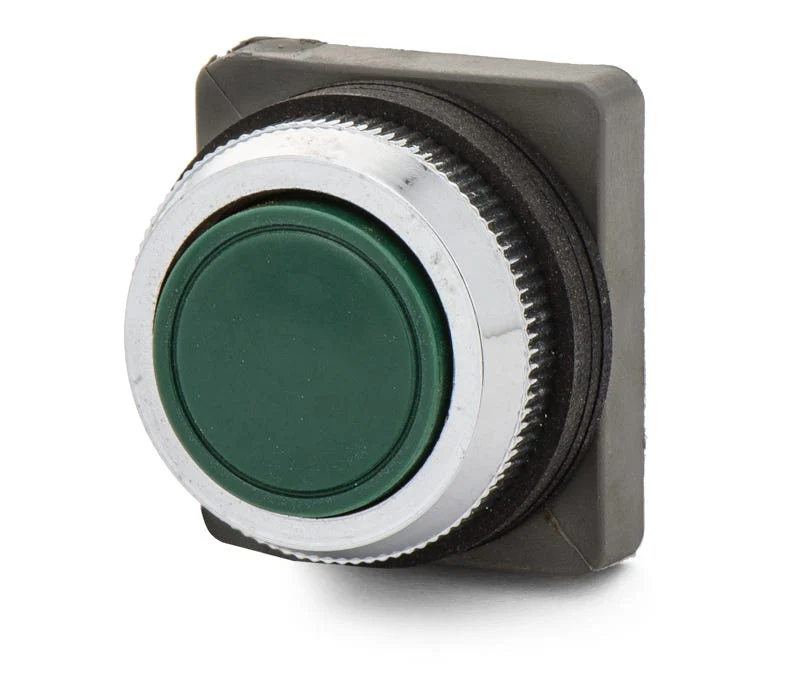
Siemens OT-P1G Push Button The Siemens OT-P1G is a push button features with a momentary action. It has a flush actuator type.
Note de Cercetare
1. What this is
OT-P1G is a Siemens device — series not recognized.
2. Part-number decode
- Series: Siemens (series not recognized)
3. Compatibility & ordering
Siemens command switches are modular IEC-style panel devices. Match by size, function (pushbutton/selector/indicator/E-stop), color, illumination, and contact blocks; cross-reference to Schneider Harmony, Allen-Bradley 800F, IDEC HW, or Eaton M22 by the same attributes if needed.
4. Data-quality note
The exact Siemens series/configuration could not be confidently decoded from this part number. Kept and documented; flagged needs-verification.
5. Sources
- Siemens LV1 catalog / SIRIUS ACT (3SU) & Class 52 selection data (siemens.com)
- Siemens Industry Mall — search the exact part/material number
- Distributor listing (Mouser / Newark) — search the exact part number
Sursă
- Siemens Industry Mall — OT-P1G — siemens.com
Specificații
|
Enriched by
|
siemens-decoder-2026-08-12
|
|
Manufacturer series
|
Siemens (series not recognized)
|
|
Mouser checked
|
2026-09-28
|
|
Mouser matched
|
false
|
|
Pn status
|
needs-verification
|
|
Product type
|
Push Button
|
|
Series description
|
Siemens control/switch device — exact series/config could not be decoded from this part number; kept and flagged for verification rather than guessed
|
|
Shopify id
|
8347089436985
|
|
Vendor
|
Siemens
|
Referință rapidă de instalare
Panel cutout: 22mm. Insert from the front of the panel, secure with mounting nut from behind (tighten to 2-3 Nm).
Contact block: Snap or screw the contact block onto the rear of the button body. Ensure the contact block orientation matches the wiring diagram — NO terminals are usually marked.
Wiring: Use 0.5-2.5mm² stranded wire with ferrules. Tighten screw terminals to 0.8 Nm. Test the button function before energizing the circuit.
Dimensiuni
Depanare
Button doesn't respond when pressed
Check the contact block first — it's the most common failure point. Test continuity across the NO or NC terminals with a multimeter. If no click is felt, the return spring in the head may be broken.
Works intermittently
Contact block contacts are pitted or burned. Replace the contact block — don't try to file the contacts. Check if the rated cycle count has been exceeded.
Button feels mushy or doesn't click
The spring return mechanism in the button head is worn. Replace the head. The contact block can usually be reused if it tests OK.
De unde cumpărați
Interval de preț
$4.06 — $4.06
from 1 seller in US dollars
Specificații rapide
- Enriched by
- siemens-decoder-2026-08-12
- Manufacturer series
- Siemens (series not recognized)
- Mouser checked
- 2026-09-28
- Mouser matched
- false
- Pn status
- needs-verification
Aflați mai multe
Explicarea gradelor de protecție IP
Ce înseamnă IP65, IP66, IP67, IP69K pentru aplicația dvs.
Ghid 22mm vs 30mm
Ce dimensiune de decupaj în panou aveți nevoie?
Blocuri de contacte: NO vs NC
Cum alegeți și conectați blocurile de contacte
Instrument de căutare butoane
Găsiți butonul potrivit după tip, dimensiune și culoare
