3SU1130-0AB70-1BA0
ActiveSIRIUS ACT Black Flush Push Button (1NO)

Black flush momentary push button, Siemens SIRIUS ACT series. 22mm cutout, IP66/IP67/IP69K, metal housing, with 1NO contact.
Common Applications
Black push button from the SIRIUS ACT range used for general-purpose and auxiliary functions. Black indicates no specific safety meaning per IEC 60204-1 — used for reset, test, acknowledge, or any function that doesn't map to the standard color codes. Common on Siemens-controlled automotive assembly lines for cycle start confirmation, test mode activation, and HMI page-change buttons mounted on operator stations. The IP66/IP67/IP69K rating with metal construction handles the most demanding washdown and clean-room environments. Pairs with any 3SU1 series contact block.
Specifications
|
Actuator Shape
The physical shape of the pressable surface.
|
Round
|
|
Actuator Type
The button head style. Flush sits level with the bezel (prevents accidental presses). Extended protrudes for easy access.
|
Flush
|
|
Certifications
Third-party safety certifications. UL = required for US NEC installations. CE = EU compliance. CSA = Canadian standards.
|
UL, CSA, CE, ATEX, IECEx
|
|
Color
Button/actuator color. Green = start/go, Red = stop/emergency, Yellow = caution, Blue = reset (per IEC 60204-1).
|
Black
|
|
Contact Configuration
Normally Open — circuit is off until you press. Standard for start/go/enable functions.
|
1NO
|
|
Cutout Diameter
The hole size you drill in your panel to mount this button. 22mm is the most common industrial standard worldwide.
|
22mm
|
|
IP Rating
IP69K: Dust-tight and withstands high-pressure, high-temperature steam jets. Built for food processing washdown environments.
|
IP66/IP67/IP69K
|
|
Material
The bezel/body material. Metal bezels are more durable in harsh environments. Plastic is lighter and cheaper.
|
Metal
|
|
Mounting Type
How the button attaches to the panel. Panel mount is standard — installs through a cutout from the front.
|
Panel
|
|
Max Operating Temp
Highest temperature the button is rated to operate in.
|
70°C
|
|
Min Operating Temp
Lowest temperature the button is rated to operate in.
|
-25°C
|
Specs with this icon are linked to the manufacturer's original source page
You'll Also Need
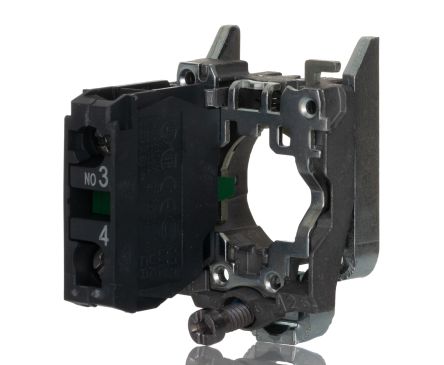
This is a modular component. For a complete assembly, you may also need:
Installation Quick Reference
Panel cutout: 22mm. Insert from the front of the panel, secure with mounting nut from behind (tighten to 2-3 Nm).
Contact block: Snap or screw the contact block onto the rear of the button body. Ensure the contact block orientation matches the wiring diagram — NO terminals are usually marked.
Wiring: Use 0.5-2.5mm² stranded wire with ferrules. Tighten screw terminals to 0.8 Nm. Test the button function before energizing the circuit.
Dimensions
Wiring Diagram
Troubleshooting
Button doesn't respond when pressed
Check the contact block first — it's the most common failure point. Test continuity across the NO or NC terminals with a multimeter. If no click is felt, the return spring in the head may be broken.
Works intermittently
Contact block contacts are pitted or burned. Replace the contact block — don't try to file the contacts. Check if the rated cycle count has been exceeded.
Button feels mushy or doesn't click
The spring return mechanism in the button head is worn. Replace the head. The contact block can usually be reused if it tests OK.

Where to Buy
Price range
$2.42 — $6.24
across 3 distributors
Quick Specs
- Actuator Shape
- Round
- Actuator Type
- Flush
- Certifications
- UL, CSA, CE, ATEX, IECEx
- Color
- Black
- Contact Configuration
- 1NO
What People Are Saying
“Solid button for panel builds. Siemens SIRIUS ACT 3SU1 series is well-proven in the field. Standard 22mm mounting means easy replacement if needed.”
Learn More
Data Sources
Specifications and product data sourced from the following references.
Siemens 3SU1130-0AB70-1BA0 Product Page
https://sieportal.siemens.com/en-ww/products-services/detail/3SU11300AB701BA0
Accessed March 29, 2026
