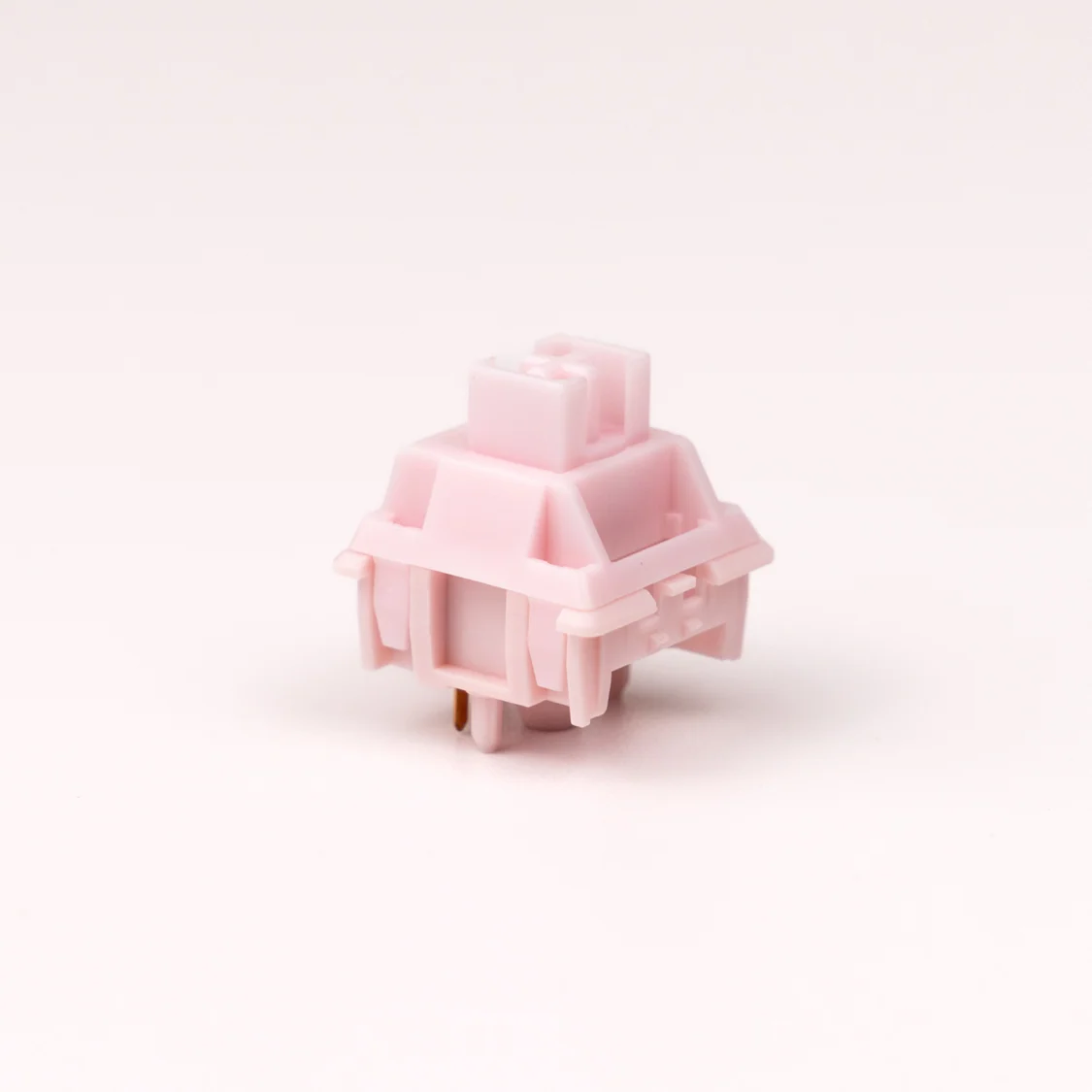
CK x Haimu Pastel Azalea Linear Switch The Azalea Linear is part of our new Pastel Series with Haimu! Featuring a POM + UPE top, POM stem, and PA + UPE bottom, the sound signature of this switch is on the higher pitched end of the spectrum. Also utilized is a 22mm 63.5g double-stage spring. Like the color and materials but want to customize the feel and sound? Check out our modding essentials for slow springs , switch films and more! Switch Type Linear Manufacturer Haimu Top Housing Material POM + UPE Bottom Housing Material PA + UPE Stem Material POM Spring Weight 63.5g double-stage 22mm spring Mounting Pins 5-pin Factory Lube Yes
Notas de Pesquisa
1. What this is
CK X HAIMU PASTEL AZALEA LINEAR ("CK x Haimu Pastel Azalea Linear Switch") is catalogued as a push-button / switch device.
2. What we know
- Manufacturer: not recorded (placeholder: "Stocked")
- Category: push-button / switch device
- Part number / name: CK X HAIMU PASTEL AZALEA LINEAR — CK x Haimu Pastel Azalea Linear Switch
- (no real manufacturer recorded — 'Stocked' is a source-catalog placeholder; identify the part from its name/number)
3. How to identify / order the exact part
The full specifications for this part are not machine-decodable from the data we hold. To confirm the exact configuration (contacts, rating, colour, mounting, protocol), search the part number/name on the manufacturer site or a distributor (DigiKey / Mouser / RS).
4. Data-quality note
This page is generated from the catalogued manufacturer, category, and product name. Per our keep-and-document policy we publish a page for every part we hold and state plainly what is known versus what needs verification, rather than deleting the row or inventing specs. Flagged decoded-partial.
5. Sources
- Distributor / marketplace listing — search "CK X HAIMU PASTEL AZALEA LINEAR" / "CK x Haimu Pastel Azalea Linear Switch"
Fonte
- Stocked CK X HAIMU PASTEL AZALEA LINEAR — distributor/catalog
Especificações
|
Device class
|
push-button
|
|
Enriched by
|
generic-fallback-2026-08-12
|
|
Pn status
|
decoded-partial
|
|
Product type
|
Accessories
|
|
Shopify id
|
7120071688303
|
|
Vendor
|
Stocked
|
Referência rápida de instalação
Panel cutout: 22mm. Insert from the front of the panel, secure with mounting nut from behind (tighten to 2-3 Nm).
Contact block: Snap or screw the contact block onto the rear of the button body. Ensure the contact block orientation matches the wiring diagram — NO terminals are usually marked.
Wiring: Use 0.5-2.5mm² stranded wire with ferrules. Tighten screw terminals to 0.8 Nm. Test the button function before energizing the circuit.
Dimensões
Solução de problemas
Button doesn't respond when pressed
Check the contact block first — it's the most common failure point. Test continuity across the NO or NC terminals with a multimeter. If no click is felt, the return spring in the head may be broken.
Works intermittently
Contact block contacts are pitted or burned. Replace the contact block — don't try to file the contacts. Check if the rated cycle count has been exceeded.
Button feels mushy or doesn't click
The spring return mechanism in the button head is worn. Replace the head. The contact block can usually be reused if it tests OK.
Especificações rápidas
- Device class
- push-button
- Enriched by
- generic-fallback-2026-08-12
- Pn status
- decoded-partial
- Product type
- Accessories
- Shopify id
- 7120071688303
Saiba mais
Graus de proteção IP explicados
O que IP65, IP66, IP67, IP69K significam para sua aplicação
Guia 22mm vs. 30mm
Qual tamanho de recorte de painel você precisa?
Blocos de contato: NO vs. NC
Como escolher e conectar blocos de contato
Ferramenta localizador de botões
Encontre o botão certo por tipo, tamanho e cor


