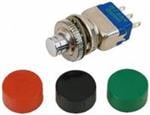
シリーズ画像: 販売者は2個の他の部品にも使用しているため、この正確なバージョンが表示されない場合があります。
Pushbutton Switches PUSHBUTTON SWITCH FD DBLE ICON
研究ノート
1. What this is
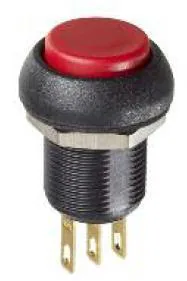
IMP7Z472 is an APEM I-series illuminated/anti-vandal pushbutton.
2. Part-number decode
- Series: APEM I-series
- Type: pushbutton
3. Compatibility & ordering
APEM makes pushbuttons (incl. anti-vandal and illuminated), tactile switches, toggle switches, joysticks, and indicators for industrial and electronic equipment. Match by type, actuation, illumination, sealing (IP rating), and mounting, then use the APEM datasheet to confirm the exact contact and actuator configuration encoded in the part number.
4. Data-quality note
The APEM product line/type is identified; the detailed configuration is left to the datasheet rather than guessed. Flagged decoded-partial.
5. Sources
- APEM product catalog (apem.com)
- Distributor listing (RS / Mouser / DigiKey) — search the exact part number
出典
- APEM — IMP7Z472 — apem.com
仕様一覧
|
Device class
|
pushbutton
|
|
Enriched by
|
apem-decoder-2026-08-12
|
|
Lead time
|
70 Days
|
|
Manufacturer series
|
I-series
|
|
Mouser part number
|
642-IMP7Z472
|
|
Pn status
|
decoded-partial
|
|
Rohs status
|
RoHS Compliant By Exemption
|
|
Series description
|
APEM I-series illuminated / anti-vandal pushbutton switch (metal, sealed panel pushbutton; many with LED ring or dot illumination)
|
取付クイックリファレンス
Panel cutout: 22mm. Insert from the front of the panel, secure with mounting nut from behind (tighten to 2-3 Nm).
Contact block: Snap or screw the contact block onto the rear of the button body. Ensure the contact block orientation matches the wiring diagram — NO terminals are usually marked.
Wiring: Use 0.5-2.5mm² stranded wire with ferrules. Tighten screw terminals to 0.8 Nm. Test the button function before energizing the circuit.
外形寸法
トラブルシューティング
Button doesn't respond when pressed
Check the contact block first — it's the most common failure point. Test continuity across the NO or NC terminals with a multimeter. If no click is felt, the return spring in the head may be broken.
Works intermittently
Contact block contacts are pitted or burned. Replace the contact block — don't try to file the contacts. Check if the rated cycle count has been exceeded.
Button feels mushy or doesn't click
The spring return mechanism in the button head is worn. Replace the head. The contact block can usually be reused if it tests OK.
主要仕様
- Device class
- pushbutton
- Enriched by
- apem-decoder-2026-08-12
- Lead time
- 70 Days
- Manufacturer series
- I-series
- Mouser part number
- 642-IMP7Z472