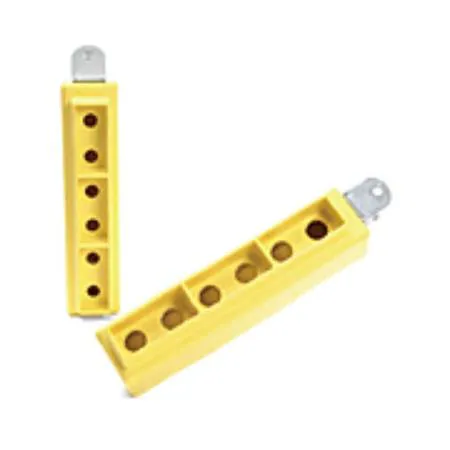
Push-button Enclosures 10-PUSHBUTTON PENDANT (22MM)
Notes de Recherche
1. What this is
1301260241 ("Molex 1301260241") is catalogued as a push-button / switch device from Molex.
2. What we know
- Manufacturer: Molex
- Category: push-button / switch device
- Part number / name: 1301260241 — Molex 1301260241
- Molex — electronic connectors and interconnect (a Molex part is usually a connector)
3. How to identify / order the exact part
The full specifications for this part are not machine-decodable from the data we hold. To confirm the exact configuration (contacts, rating, colour, mounting, protocol), search the Molex catalog for this part number on the manufacturer site or a distributor (DigiKey / Mouser / RS).
4. Data-quality note
This page is generated from the catalogued manufacturer, category, and product name. Per our keep-and-document policy we publish a page for every part we hold and state plainly what is known versus what needs verification, rather than deleting the row or inventing specs. Flagged needs-verification.
5. Sources
- Molex product catalog — search "1301260241" / "Molex 1301260241"
Verified distributor data (Mouser)
- Official distributor description: Push-button Enclosures Woodhead - Super-Safeway Ten Push Button Pendant Enclosure 22.00mm (.866) Opening"
- Price (from): 1.34 EUR
- Availability: Check Mouser for availability
This part is carried by Mouser Electronics; the description and datasheet above come straight from the distributor's catalog, confirming and expanding the part-number decode above.
Source
- Molex 1301260241 — distributor/catalog
Spécifications
|
Device class
|
push-button
|
|
Enriched by
|
generic-fallback-2026-08-12
|
|
Lead time
|
119 Days
|
|
Mouser checked
|
2026-09-28
|
|
Mouser description
|
Push-button Enclosures Woodhead - Super-Safeway Ten Push Button Pendant Enclosure 22.00mm (.866) Opening"
|
|
Mouser matched
|
true
|
|
Mouser part number
|
538-1301260241
|
|
Pn status
|
verified
|
Référence rapide d'installation
Panel cutout: 22mm. Insert from the front of the panel, secure with mounting nut from behind (tighten to 2-3 Nm).
Contact block: Snap or screw the contact block onto the rear of the button body. Ensure the contact block orientation matches the wiring diagram — NO terminals are usually marked.
Wiring: Use 0.5-2.5mm² stranded wire with ferrules. Tighten screw terminals to 0.8 Nm. Test the button function before energizing the circuit.
Dimensions
Dépannage
Button doesn't respond when pressed
Check the contact block first — it's the most common failure point. Test continuity across the NO or NC terminals with a multimeter. If no click is felt, the return spring in the head may be broken.
Works intermittently
Contact block contacts are pitted or burned. Replace the contact block — don't try to file the contacts. Check if the rated cycle count has been exceeded.
Button feels mushy or doesn't click
The spring return mechanism in the button head is worn. Replace the head. The contact block can usually be reused if it tests OK.
Spécifications rapides
- Device class
- push-button
- Enriched by
- generic-fallback-2026-08-12
- Lead time
- 119 Days
- Mouser checked
- 2026-09-28
- Mouser description
- Push-button Enclosures Woodhead - Super-Safeway Ten Push Button Pendant Enclosure 22.00mm (.866) Opening"
En savoir plus
Indices de protection IP expliqués
Ce que signifient IP65, IP66, IP67, IP69K pour votre application
Guide 22mm vs 30mm
Quelle taille de découpe de panneau vous faut-il ?
Blocs de contact : NO vs NC
Comment choisir et câbler les blocs de contact
Outil de recherche de boutons
Trouvez le bon bouton par type, taille et couleur


