BLACK HORSE RGB PLATE MOUNT MAGNETIC HE
AktiivneTTC Black Horse RGB Plate Mount Magnetic HE Switch
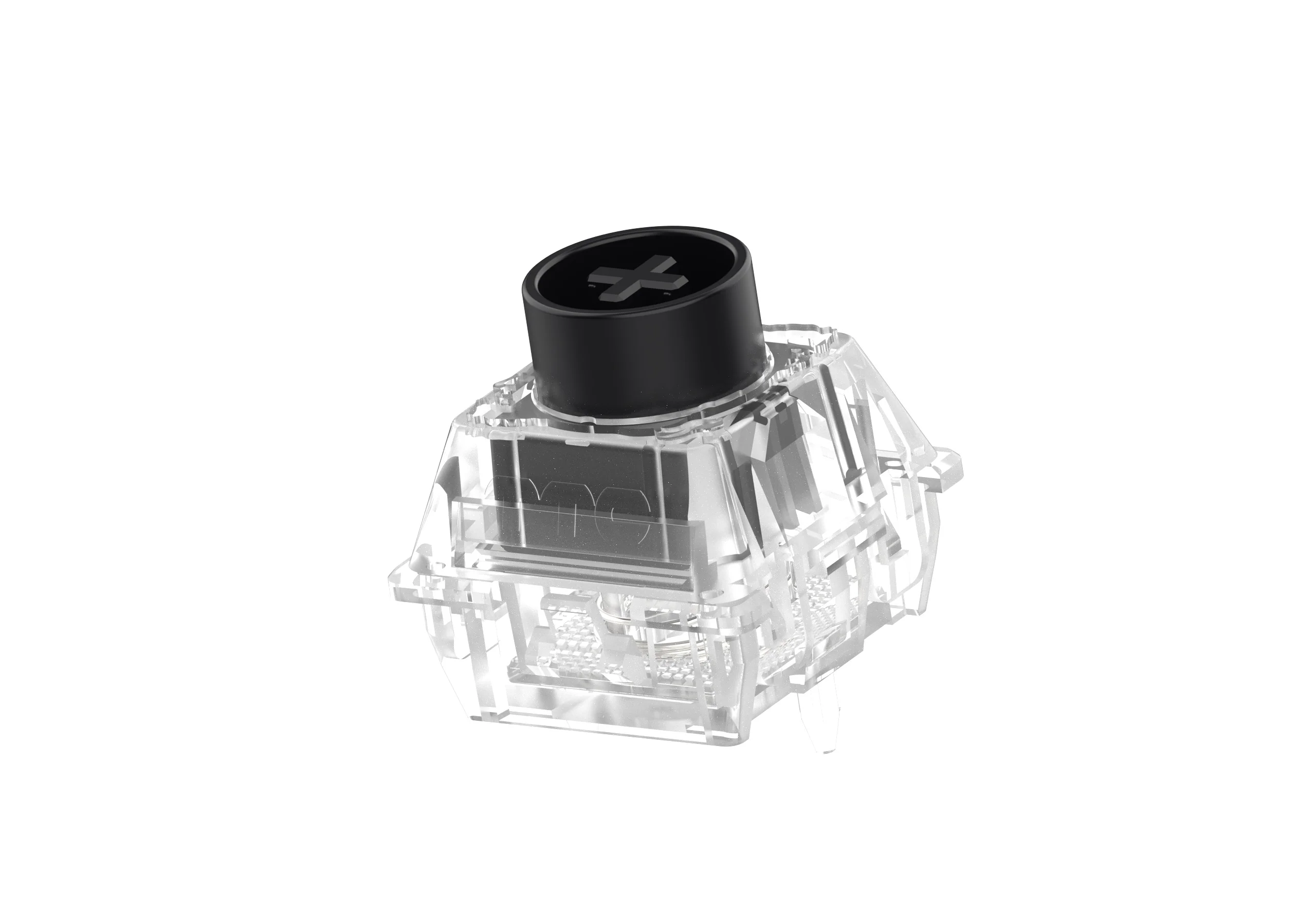
35g initial force 90Gs initial magnetic flux 480Gs bottom out magnetic flux 3.45mm total travel Dust proof stem Part of TTC's Year of the Horse collection This switch uses magnets and sensors instead of physical contacts to process actuations, creating a much smoother keypress without bounce or chatter. The adjustable actuation point is determined not by location but by distance traveled. It requires special PCBs and is not compatible with regular mechanical keyboards. Due to manufacturing differences, this switch may not be compatible with all magnetic or Hall Effect keyboards.
Uurimismärkmed
1. What this is
TTC Black Horse RGB Plate Mount Magnetic HE Switch is a magnetic (Hall-effect) keyboard switch from TTC. It is magnetic/Hall-effect, 3-pin (plate mount).
2. Spec decode (from product name)
- Magnetic (Hall-effect): yes — analog/adjustable actuation (requires a compatible HE keyboard)
- Mount: 3-pin (plate mount)
3. Compatibility & use
Standard MX-style keyboard switch — note: magnetic/Hall-effect switches only work in Hall-effect keyboards, not standard mechanical PCBs. Choose by feel (linear/tactile/clicky), actuation force, and sound (silent vs standard); this is a 3-pin plate-mount switch (needs a plate). Hot-swap or solder depending on your board.
4. Data-quality note
This is identified as a TTC keyboard switch, but the type/force were not stated in the name — confirm the full spec against the manufacturer. Flagged needs-verification. (Note: some of these rows are catalogued under a generic push-button/arcade-button category in the source data; the correct device class is keyboard switch, recorded in the specs above.)
5. Sources
- TTC product page / keyboard-switch community databases
- Distributor / vendor listing — search the exact switch name
Allikas
- TTC TTC Black Horse RGB Plate Mount Magnetic HE Switch — keyboard-switch spec
Spetsifikatsioonid
|
Device class
|
magnetic (Hall-effect) keyboard switch
|
|
Enriched by
|
keyboard-decoder-2026-08-12
|
|
Magnetic
|
true
|
|
Mount
|
3-pin (plate mount)
|
|
Pn status
|
needs-verification
|
|
Product type
|
Keyboard Switches
|
|
Series description
|
TTC mechanical keyboard switch
|
|
Shopify id
|
10230619963692
|
|
Vendor
|
TTC
|
Paigalduse kiirjuhend
Panel cutout: 22mm. Insert from the front of the panel, secure with mounting nut from behind (tighten to 2-3 Nm).
Contact block: Snap or screw the contact block onto the rear of the button body. Ensure the contact block orientation matches the wiring diagram — NO terminals are usually marked.
Wiring: Use 0.5-2.5mm² stranded wire with ferrules. Tighten screw terminals to 0.8 Nm. Test the button function before energizing the circuit.
Mõõtmed
Veaotsing
Button doesn't respond when pressed
Check the contact block first — it's the most common failure point. Test continuity across the NO or NC terminals with a multimeter. If no click is felt, the return spring in the head may be broken.
Works intermittently
Contact block contacts are pitted or burned. Replace the contact block — don't try to file the contacts. Check if the rated cycle count has been exceeded.
Button feels mushy or doesn't click
The spring return mechanism in the button head is worn. Replace the head. The contact block can usually be reused if it tests OK.
Kust osta
Hinnavahemik
$1.49 — $1.49
from 1 seller in US dollars
Kiirspetsifikatsioonid
- Device class
- magnetic (Hall-effect) keyboard switch
- Enriched by
- keyboard-decoder-2026-08-12
- Magnetic
- true
- Mount
- 3-pin (plate mount)
- Pn status
- needs-verification


