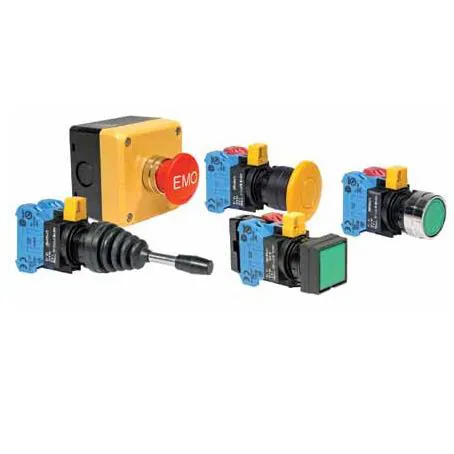
Imagen de la serie: el vendedor la utiliza para 131 otras piezas también, por lo que puede no mostrar esta versión exacta.
Emergency Stop Switches / E-Stop Switches 22mm Emergency-Stop
Notas de Investigación
1. What this is
HW4B-Y2F11-R is an IDEC HW-series 22mm heavy-duty IEC-style global pushbutton (finger-safe IP20 contact blocks, push-in terminals; HW4 = square bezel). This specific variant is Red, 1NO-1NC.
2. Part-number decode
- Series: IDEC HW — 22mm pushbutton
- Contacts: 1NO-1NC
- Color: Red
- Construction: modular — sold as a sub-assembled unit (operator + contact block + button); contact blocks are separate stackable parts
3. Compatibility & ordering
Panel cutout: 22mm. As a modular IEC command switch, the operator, contact block(s), and button/lens are separate stackable parts — match the contact arrangement to your circuit and add or swap contact blocks as needed. Cross-reference by size, operation, contact arrangement, and color to an equivalent from another IEC command-switch line (Schneider Harmony, Allen-Bradley 800F/800T, Siemens 3SU, Eaton M22) if IDEC is unavailable.
4. Data-quality note
This page is generated by decoding IDEC's published part-number scheme for the HW series (grounded in IDEC's series datasheets and IDEC USA's catalog). The structured fields above follow directly from the code.
5. Sources
- IDEC HW-series datasheet / ordering guide (idec.com)
- IDEC USA catalog: https://us.idec.com (search the exact part number)
Fuente
- IDEC USA catalog — HW4B-Y2F11-R — us.idec.com
Especificaciones
|
Color
Button/actuator color. Green = start/go, Red = stop/emergency, Yellow = caution, Blue = reset (per IEC 60204-1).
|
Red
|
|
Contact arrangement
|
1NO-1NC
|
|
Device class
|
pushbutton
|
|
Enriched by
|
idec-decoder-2026-08-12
|
|
Lead time
|
0 Days
|
|
Manufacturer series
|
HW
|
|
Modular
|
true
|
|
Mouser part number
|
199-HW4BY2F11R
|
|
Panel cutout
|
22mm
|
|
Pn status
|
decoded
|
|
Rohs status
|
RoHS Compliant
|
|
Series description
|
IDEC HW-series 22mm heavy-duty IEC-style global pushbutton (finger-safe IP20 contact blocks, push-in terminals; HW4 = square bezel)
|
Referencia rápida de instalación
Panel cutout: 22mm. Mount with the yellow backing plate visible (required by EN/ISO 13850).
Wiring: Wire NC contacts in series with the safety relay input channels. Use dual-channel wiring for SIL 3 / PLe applications. Never wire directly to a motor contactor.
Testing: Press the e-stop and verify the machine stops within the required time. Test the reset mechanism. Repeat monthly per EN/ISO 13850.
Dimensiones
Solución de problemas
E-stop won't reset (twist/pull doesn't release)
Check for debris in the mechanism. For twist-release: turn clockwise 45-90 degrees. For push-pull: pull straight out firmly. If the mechanism is stuck, the internal latch may be damaged — replace the entire head assembly.
Machine doesn't stop when e-stop is pressed
Critical safety issue. Immediately lock out the machine. Check wiring — NC contacts must be in series with the safety relay. Verify the safety relay is functioning. A broken wire in an NC circuit should cause a stop, so check for a wiring bypass.
Safety relay faults after e-stop reset
The safety relay detects a cross-fault between the two monitoring channels. Check that both NC contacts on the e-stop are switching simultaneously. One contact may be welded closed — replace the contact block.
Dónde comprar
Especificaciones rápidas
- Color
- Red
- Contact arrangement
- 1NO-1NC
- Device class
- pushbutton
- Enriched by
- idec-decoder-2026-08-12
- Lead time
- 0 Days

