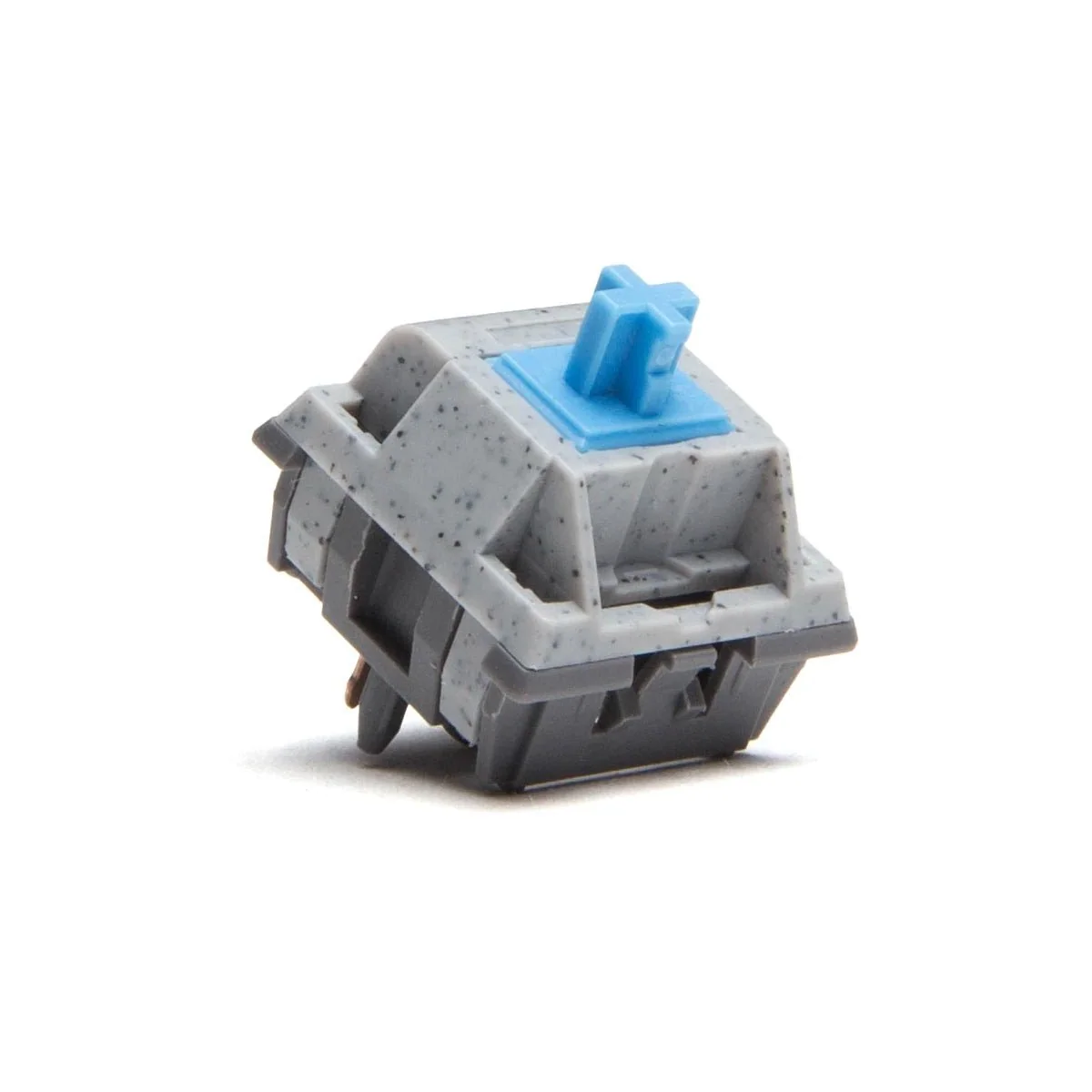
Keygeek M1 Switches are linear switches that further expands on Keygeek's willingness to use different stem tips to influence the bottom-out sound profile. The M1 Switches uses a 7-sphere stem tip which still provides a deep bottom-out but is more firm and loud compared to the waffle stem tip (Y2 switch). Sound Profile: Deep, Loud, Resonant Keygeek M1 Switches Feature: 18 included in each pack Linear Top Housing: L4 Strengthened POM Bottom Housing: N2 (Nylon+20% Fiberglass) Stem: L4 Strengthened POM (7 Sphere Stem Tip) Spring: 18mm, Japanese Steel, Single Actuation: 45±5g Bottom-out: 53±5g Pre-travel: 2.0±0.2mm Total Travel: 3.6±0.2mm MX Structure Lubed Price: $0.35 per switch Includes: 18 Keygeek M1 Switches
Výzkumné poznámky
1. What this is
Keygeek M1 Linear Switches is a mechanical keyboard switch from Keygeek. It is linear.
2. Spec decode (from product name)
- Switch type: linear
3. Compatibility & use
Standard MX-style keyboard switch. Choose by feel (linear/tactile/clicky), actuation force, and sound (silent vs standard); 5-pin PCB-mount switches also fit plate-mount boards. Hot-swap or solder depending on your board.
4. Data-quality note
The switch type is decoded from the name; the exact actuation force and mount should be confirmed against the manufacturer's spec. Flagged decoded-partial. (Note: some of these rows are catalogued under a generic push-button/arcade-button category in the source data; the correct device class is keyboard switch, recorded in the specs above.)
5. Sources
- Keygeek product page / keyboard-switch community databases
- Distributor / vendor listing — search the exact switch name
Zdroj
- Keygeek Keygeek M1 Linear Switches — keyboard-switch spec
Specifikace
|
Device class
|
mechanical keyboard switch
|
|
Enriched by
|
keyboard-decoder-2026-08-12
|
|
Pn status
|
decoded-partial
|
|
Product type
|
Switches
|
|
Series description
|
Keygeek mechanical keyboard switch (linear)
|
|
Shopify id
|
7698084692033
|
|
Switch type
|
linear
|
|
Vendor
|
Keygeek
|
Stručný průvodce instalací
Panel cutout: 22mm. Insert from the front of the panel, secure with mounting nut from behind (tighten to 2-3 Nm).
Contact block: Snap or screw the contact block onto the rear of the button body. Ensure the contact block orientation matches the wiring diagram — NO terminals are usually marked.
Wiring: Use 0.5-2.5mm² stranded wire with ferrules. Tighten screw terminals to 0.8 Nm. Test the button function before energizing the circuit.
Rozměry
Řešení problémů
Button doesn't respond when pressed
Check the contact block first — it's the most common failure point. Test continuity across the NO or NC terminals with a multimeter. If no click is felt, the return spring in the head may be broken.
Works intermittently
Contact block contacts are pitted or burned. Replace the contact block — don't try to file the contacts. Check if the rated cycle count has been exceeded.
Button feels mushy or doesn't click
The spring return mechanism in the button head is worn. Replace the head. The contact block can usually be reused if it tests OK.
Stručné specifikace
- Device class
- mechanical keyboard switch
- Enriched by
- keyboard-decoder-2026-08-12
- Pn status
- decoded-partial
- Product type
- Switches
- Series description
- Keygeek mechanical keyboard switch (linear)


