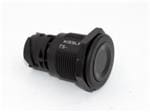
Pushbutton Switches PUSH BUTTON SWITCH TS-221-SW11
Research Notes
1. What this is
TS-221-SW11 ("TE Connectivity / Kissling TS-221-SW11") is catalogued as a push-button / switch device from TE Connectivity / Kissling.
2. What we know
- Manufacturer: TE Connectivity / Kissling
- Category: push-button / switch device
- Part number / name: TS-221-SW11 — TE Connectivity / Kissling TS-221-SW11
- TE Connectivity / Kissling — heavy-duty automotive/industrial switches, relays, and battery disconnects
3. How to identify / order the exact part
The full specifications for this part are not machine-decodable from the data we hold. To confirm the exact configuration (contacts, rating, colour, mounting, protocol), search the TE Connectivity / Kissling catalog for this part number on the manufacturer site or a distributor (DigiKey / Mouser / RS).
4. Data-quality note
This page is generated from the catalogued manufacturer, category, and product name. Per our keep-and-document policy we publish a page for every part we hold and state plainly what is known versus what needs verification, rather than deleting the row or inventing specs. Flagged needs-verification.
5. Sources
- TE Connectivity / Kissling product catalog — search "TS-221-SW11" / "TE Connectivity / Kissling TS-221-SW11"
1 source
- TE Connectivity / Kissling TS-221-SW11 — distributor/catalog
Specifications
|
Device class
|
push-button
|
|
Enriched by
|
generic-fallback-2026-08-12
|
|
Lead time
|
158 Days
|
|
Mouser part number
|
571-TS-221-SW11
|
|
Pn status
|
needs-verification
|
|
Rohs status
|
RoHS Compliant By Exemption
|
Installation Quick Reference
Panel cutout: 22mm. Insert from the front of the panel, secure with mounting nut from behind (tighten to 2-3 Nm).
Contact block: Snap or screw the contact block onto the rear of the button body. Ensure the contact block orientation matches the wiring diagram — NO terminals are usually marked.
Wiring: Use 0.5-2.5mm² stranded wire with ferrules. Tighten screw terminals to 0.8 Nm. Test the button function before energizing the circuit.
Dimensions
Troubleshooting
Button doesn't respond when pressed
Check the contact block first — it's the most common failure point. Test continuity across the NO or NC terminals with a multimeter. If no click is felt, the return spring in the head may be broken.
Works intermittently
Contact block contacts are pitted or burned. Replace the contact block — don't try to file the contacts. Check if the rated cycle count has been exceeded.
Button feels mushy or doesn't click
The spring return mechanism in the button head is worn. Replace the head. The contact block can usually be reused if it tests OK.
Quick Specs
- Device class
- push-button
- Enriched by
- generic-fallback-2026-08-12
- Lead time
- 158 Days
- Mouser part number
- 571-TS-221-SW11
- Pn status
- needs-verification

