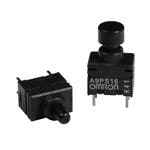
Tactile Switches Key Sw. In Ammo Pack
Specifications
|
Device class
|
tactile switch
|
|
Enriched by
|
omron-decoder-2026-08-12
|
|
Lead time
|
180 Days
|
|
Manufacturer series
|
B3
|
|
Mouser part number
|
653-B3F-60023
|
|
Pn status
|
decoded
|
|
Rohs status
|
RoHS Compliant
|
|
Series description
|
Omron B3-series tactile switch (B3F through-hole, B3W/B3S SMD, B3J, B3AL illuminated — a very widely used PCB tact-switch family)
|
Installation Quick Reference
Panel cutout: 22mm. Insert from the front of the panel, secure with mounting nut from behind (tighten to 2-3 Nm).
Contact block: Snap or screw the contact block onto the rear of the button body. Ensure the contact block orientation matches the wiring diagram — NO terminals are usually marked.
Wiring: Use 0.5-2.5mm² stranded wire with ferrules. Tighten screw terminals to 0.8 Nm. Test the button function before energizing the circuit.
Dimensions
Troubleshooting
Button doesn't respond when pressed
Check the contact block first — it's the most common failure point. Test continuity across the NO or NC terminals with a multimeter. If no click is felt, the return spring in the head may be broken.
Works intermittently
Contact block contacts are pitted or burned. Replace the contact block — don't try to file the contacts. Check if the rated cycle count has been exceeded.
Button feels mushy or doesn't click
The spring return mechanism in the button head is worn. Replace the head. The contact block can usually be reused if it tests OK.
Quick Specs
- Device class
- tactile switch
- Enriched by
- omron-decoder-2026-08-12
- Lead time
- 180 Days
- Manufacturer series
- B3
- Mouser part number
- 653-B3F-60023