SSW-PB1-G
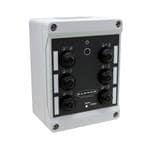
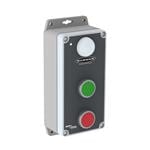
ActiveBanner Sure Cross Wireless Push Button Green (PN unverified; real line Q45/Q120)
Banner Sure Cross wireless push button — no wiring needed.
Common Applications
Battery-powered wireless push button using Banner 900MHz radio. No wiring — mount anywhere. Press to trigger a PLC input up to 300m away. Used on mobile carts, temporary stations, and remote locations where running wire is impractical. Pairs with DXM/DX80 wireless I/O controllers.
Specifications
|
Battery Life
Expected battery life under normal use. BLE buttons typically last 1-2 years on a coin cell.
|
5 years
|
|
Certifications
Third-party safety certifications. UL = required for US NEC installations. CE = EU compliance. CSA = Canadian standards.
|
FCC, CE
|
|
Color
Button/actuator color. Green = start/go, Red = stop/emergency, Yellow = caution, Blue = reset (per IEC 60204-1).
|
Green
|
|
Device type
|
Sure Cross 900MHz wireless push-button node (green) — signaling, not safety-rated
|
|
IP Rating
IP67: Dust-tight and survives temporary water submersion (1m for 30 min). Handles oil splashes, steam cleaning, and rain.
|
IP67
|
|
Pn note
|
PN SSW-PB1-G not verifiable (only self-referential hits; does not match Banner naming). Banner real wireless push buttons = Q45 / Q120 Sure Cross series. Product type genuine; reconcile PN to a real Q45/Q120 model.
|
|
Pn status
|
pn-unverified
|
|
Protocol
The wireless communication standard. BLE = short range, phone direct. Zigbee = mesh network, needs hub. Z-Wave = mesh, needs hub. WiFi = direct, higher power.
|
900MHz Sure Cross
|
|
Wireless Range
Maximum wireless range in open air. Walls and interference reduce this significantly.
|
300m line of sight
|
Installation Quick Reference
Panel cutout: 22mm. Insert from the front of the panel, secure with mounting nut from behind (tighten to 2-3 Nm).
Contact block: Snap or screw the contact block onto the rear of the button body. Ensure the contact block orientation matches the wiring diagram — NO terminals are usually marked.
Wiring: Use 0.5-2.5mm² stranded wire with ferrules. Tighten screw terminals to 0.8 Nm. Test the button function before energizing the circuit.
Dimensions
Troubleshooting
Button doesn't respond when pressed
Check the contact block first — it's the most common failure point. Test continuity across the NO or NC terminals with a multimeter. If no click is felt, the return spring in the head may be broken.
Works intermittently
Contact block contacts are pitted or burned. Replace the contact block — don't try to file the contacts. Check if the rated cycle count has been exceeded.
Button feels mushy or doesn't click
The spring return mechanism in the button head is worn. Replace the head. The contact block can usually be reused if it tests OK.
Where to Buy
Price range
$1.72 — $74.1
across 2 distributors
Quick Specs
- Battery Life
- 5 years
- Certifications
- FCC, CE
- Color
- Green
- Device type
- Sure Cross 900MHz wireless push-button node (green) — signaling, not safety-rated
- IP Rating
- IP67
What People Are Saying
“Battery-powered wireless push button using Banner 900MHz radio. No wiring — mount anywhere. Press to trigger a PLC input up to 300m away. Used on mobile carts, temporary stations, and remote locations”