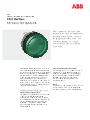
ML1-100R
ActiveModular Red LED Indicator Light 24V

Red LED pilot light, ABB Modular series. 22mm cutout, 24V AC/DC, IP65.
Common Applications
Red LED indicator light from ABB's modular pilot device range. Red indicates fault, alarm, or stopped condition per IEC 60204-1. Commonly installed on motor control centers to show drive fault status, on process panels to indicate high-temperature or high-pressure alarms, and on power distribution boards to show breaker tripped conditions. Pairs with the green ML1-100G to form a running/fault status pair — green lit means running normally, red lit means fault or stopped. The ML1 series shares the same 22mm mounting as ABB MP-series push buttons for a consistent panel layout.
Specifications
|
Certifications
Third-party safety certifications. UL = required for US NEC installations. CE = EU compliance. CSA = Canadian standards.
|
UL, CSA, CE
|
|
Color
Button/actuator color. Green = start/go, Red = stop/emergency, Yellow = caution, Blue = reset (per IEC 60204-1).
|
Red
|
|
Cutout Diameter
The hole size you drill in your panel to mount this button. 22mm is the most common industrial standard worldwide.
|
22mm
|
|
IP Rating
IP65: Dust-tight and protected against low-pressure water jets. Suitable for indoor industrial and light washdown.
|
IP65
|
|
LED Color
Color of the built-in LED indicator light.
|
Red
|
|
LED Voltage
The voltage required for the built-in LED. Must match your control circuit voltage (typically 24V DC or 230V AC).
|
24V AC/DC
|
|
Material
The bezel/body material. Metal bezels are more durable in harsh environments. Plastic is lighter and cheaper.
|
Plastic
|
|
Mounting Type
How the button attaches to the panel. Panel mount is standard — installs through a cutout from the front.
|
Panel
|
Specs with this icon are linked to the manufacturer's original source page
You'll Also Need
This is a modular component. For a complete assembly, you may also need:

Installation Quick Reference
Panel cutout: 22mm. Insert from the front, secure with mounting nut.
LED module: Check the voltage rating matches your supply (typically 24V DC or 230V AC). Connect to PLC digital output or relay contact for status indication.
Color meaning (IEC 60204-1): Green = normal/running. Red = fault/danger. Yellow = warning/caution. Blue = mandatory action. White = neutral/general.
Dimensions
Troubleshooting
Light is dim or flickering
Check supply voltage matches the LED module rating. Low voltage causes dimming. If voltage is correct, the LED module is failing — replace it. LED modules have finite life (typically 50K-100K hours).
Light doesn't turn on
Verify voltage at the terminals with a multimeter. Check the PLC output or relay driving the light. LED modules are polarity-sensitive on DC circuits — try reversing the leads.

Where to Buy
Price range
$2.32 — $6.19
across 4 distributors
Quick Specs
- Certifications
- UL, CSA, CE
- Color
- Red
- Cutout Diameter
- 22mm
- IP Rating
- IP65
- LED Color
- Red
What People Are Saying
“ABB indicators are reliable. Match the LED voltage to your PLC output. Follow IEC 60204-1 color coding — your maintenance team will appreciate consistent standards.”
Learn More
Data Sources
Specifications and product data sourced from the following references.